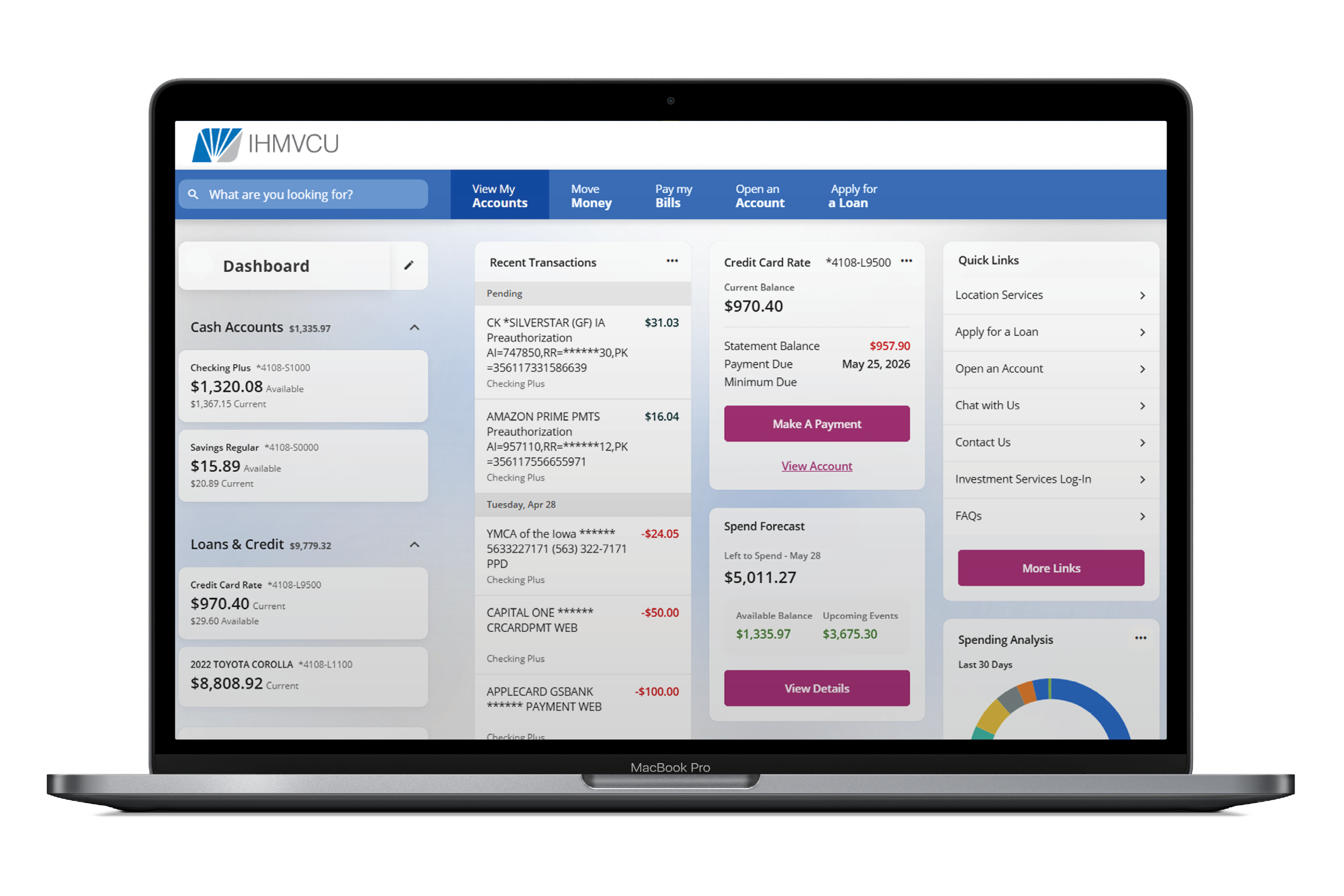
We’ve officially launched our new Digital Banking experience, designed to make managing your money easier, faster, and more secure. This page is your go-to resource for updates, FAQs, and everything you need to get up and running.
When you log-in for the first time, you’ll be prompted to reset your password. From there, take a few minutes to review your settings and get everything set back up.
Are you a IHMVCU business member? We've got a special page for you!
Here are a few quick things to check:
Re-establish your account alerts
Reconnect any external accounts or transfers
Review your security settings and enable added protection like an authenticator app or passkey
Get familiar with your new dashboard and features
You’ll notice a more modern look, smoother navigation, and enhanced security features, along with the tools you rely on every day.
Devices and Browsers
Our new Digital Banking platform works best on newer devices and updated browsers. You may need to update your device if you’re using:
Computers
- Windows 10 or older
- Mac operating systems older than Mac OS 11
- Older versions of Chrome, Safari, Edge, or Firefox
iPhones / iPads
- You’ll need one of the most recent iOS versions to download or update the app
- If your iPhone or iPad can’t update to newer iOS versions, the app may not work
Android Phones / Tablets
- Android 13 or newer is required to download or update the mobile app
- Older Android devices may not be able to install the app
Good rule of thumb: If your device is more than a few years old and hasn’t been updated recently, you may need to run a system update before the new Digital Banking launches.
Using an older device? You can still access Digital Banking through your mobile web browser by visiting IHMVCU.org and logging in from your phone.
Even if your device does not support the newest version of the app, many Digital Banking features are still available through the mobile website.
Watch How-To Videos
Short, simple walkthroughs to help you get the most out of Digital Banking.
Member to Member Transfers
Use Member to Member Transfers to send money from your IHMVCU account to another IHMVCU member.
Send a Member to Member Transfer
Go to Move Money
Select Member to Member Transfers
Select the member account you want to transfer to
Choose the account you want to transfer from
Enter the amount
Choose whether it’s a one-time or recurring transfer
Review and submit
Add Another Member’s Account
- Go to Move Money
- Select Member to Member Transfers
- Click Add Account
- Enter the member’s M2M Code
- Add an Account Nickname
- Click Add Account

Create and Share Your M2M Code
- Go to Move Money
- Select Member to Member Transfers
- Click Create Code
- Select the account you want to link
- Create an M2M Code
- Click Create Code
- Share the code with the IHMVCU member who needs to send money to you
Note: M2M Codes must be 6 to 24 characters and can only include letters and numbers.
What if I forgot my username or password?
Click Forgot Username or Password on the log-in screen.
-
Can I still use Remote Deposit Capture?
Yes. Remote Deposit Capture will still be available.
-
What happens if I had more than one username in the previous platform?
The most recent username you used to log-in will be the one that transfers over.
-
What’s changing with Digital Banking access?
We’re updating Digital Banking to a person-based log-in experience. Instead of sharing one log-in, each member will now have their own.
- The current log-in stays with the primary account holder
- Joint owners will enroll with their own information
- Once enrolled, you’ll see all accounts you own or share
It’s a simpler, more secure way to manage your accounts all in one place.
-
Will my account alerts and push notifications transfer?
No. Alerts will need to be set up again. You will also have access to additional alert options, including debit card and security alerts.
-
Will my account nicknames stay?
Yes. Your account nicknames will appear in the upgraded app.
-
Will my Bill Pay information transfer?
Yes. Your Bill Pay information will transfer to the new system.
The Bill Pay area will have a refreshed look and you will need to accept updated Terms and Conditions the first time you access it.
After the upgrade, please review your payees and scheduled payments to confirm everything is correct.
To make things easier after the upgrade, we recommend writing down your current payments, including the amount, date, and payee.
-
Will my debit and credit card alerts transfer?
No. You will need to set up new card control alerts.
The new platform also allows you to manage debit card controls on desktop and mobile.
-
Will my external accounts transfer?
No. You will need to re-link external accounts and set up new external transfers.
-
Will my scheduled transfers carry over?
We are working to ensure scheduled transfers migrate correctly. After the upgrade, review them under Move Money to confirm everything looks correct.
-
Will my transaction history transfer?
Yes. You will still be able to see two years of account history.
-
Will there be changes to Quicken or QuickBooks?
You can still use Quicken with your account. The process is just changing.
Instead of automatic syncing, you’ll download your transactions from Digital Banking and upload them into Quicken or QuickBooks. The new platform won’t connect directly.
Be sure to export your transaction history before the upgrade. For step-by-step instructions, visit IHMVCU.org/BusinessUpgrade.
